
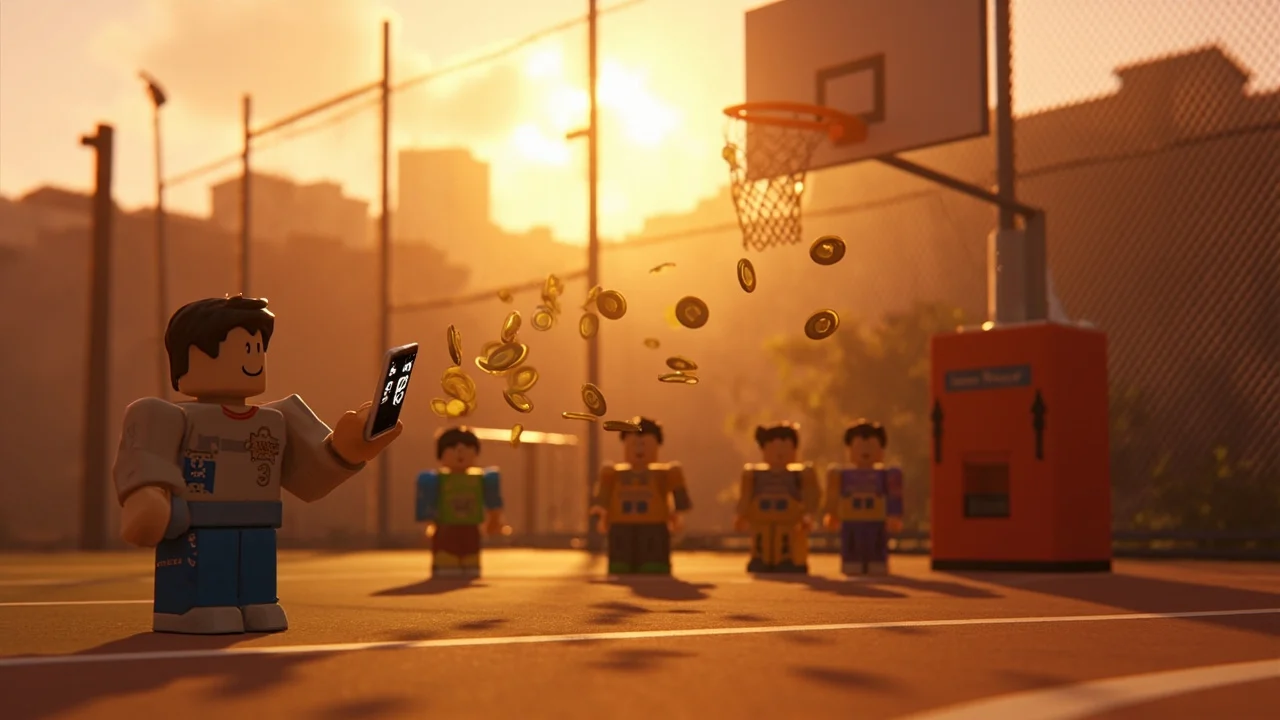
Playground basketball codes
Playground basketball codes drop coin bundles in the low thousands, enough to skip the first stretch of the cosmetic grind in this Roblox sports experience. Most working strings are short, the reward is a wallet top-up rather than a gameplay buff, and the redemption flow is gated by two Roblox-side requirements that catch a lot of new players. The active list rotates on the developer’s social channels, not on a public build schedule, and the developer retired a set of strings in late August with no replacement posted as of this writing.
The rest of this page covers the practical side of working with Playground basketball codes: how to prepare a Roblox account, exactly where to paste the string, how to read a working code entry, what to do when the screen rejects the paste, and how to think about expired strings so a player can react faster when a new one drops. It is written for people who already know what a Roblox experience is, and for creators who want to see how a small code-driven Roblox title structures its reward layer above the core gameplay loop.
What Playground Basketball actually is, and where codes fit
Playground Basketball is a Roblox sports experience built around pickup basketball on outdoor courts. The core loop is familiar to anyone who has played a Roblox sports sim: queue into a match, play to a score or timer, earn a per-match reward in soft currency, and spend that currency in a shop that rotates cosmetics, animations, court decorations, and character effects. Coins are the soft currency that powers almost every cosmetic purchase in the game, which is why so many reward strings in the active list are coin bundles rather than stat boosts or unlock tokens.
Codes sit on top of that loop as a free top-up channel. They are not part of progression and they do not change physics, matchmaking, or skill ratings. They add currency directly to a player’s wallet, which then lets the player make a cosmetic choice they would otherwise have had to grind for. That positioning matters: codes cannot carry a player through a losing streak, and they cannot substitute for learning the timing of shots and steals. They can remove the cosmetic grind that sits between a new account and a fully customized avatar on the court.
From a design standpoint, the code system is also a marketing surface. Each working code is typically tied to a social milestone, a community event, or a specific update on the developer’s Discord or X account. That is why a code that worked last week can be silently retired without a server-side announcement, and why players who rely solely on in-game prompts often miss the window between release and expiry.
Prerequisites before you redeem anything
Most failed redemption attempts are not caused by expired codes. They are caused by the two Roblox-side requirements that gate the redemption screen. Before a player copies any Playground basketball code into the text box, both of them need to be in place or the paste will silently do nothing.
The first requirement is liking the game in the Roblox launcher. Playground Basketball is a standalone Roblox experience, and the developer uses the launcher’s like counter as a soft opt-in to receive notifications about the title. This step can be completed from any product page for the experience: open the title in the Roblox client or in a browser, press the heart or thumbs-up icon, and confirm. It is a one-time action and does not need to be repeated for every code.
The second requirement is joining the developer’s Community Group. The Roblox launcher exposes a community tab for every experience, and Playground Basketball routes new players there from its product page. The join request has to be sent from a logged-in account, and the player has to wait for the group to accept it. Group acceptance is usually fast, but it is not always instant, so a player who tries to redeem a code in the same minute they discover the game will often see a generic error.
A stable client connection also matters. Codes are validated against a server-side list, so the redemption screen needs to reach the backend. A Roblox build that cannot reach the developer server will not return a useful error message; it will simply refuse the paste. Make sure the account is logged in, the game has fully loaded its main menu at least once, and the experience is not running behind a connection that drops Roblox API calls.
How to redeem Playground basketball codes
Once the two prerequisites are satisfied, the redemption flow itself is short. The game places a dedicated code button on the main menu, usually in the top or right edge of the screen next to the daily-reward icons. Tapping that button opens a single-line text input with a Redeem or Confirm button next to it. Codes are case-insensitive but the dashes and spacing must match exactly, and most active strings are short enough to paste in a single block.
- Boot the Roblox client and load Playground Basketball from favourites or from the product page.
- Wait for the main menu to fully render. The code button only appears after the client has finished the initial handshake with the backend, so it should not be opened during the loading splash.
- Copy the active code to the clipboard from a trusted source. Typing by hand is worth avoiding, since the most common redemption errors are single-character typos in otherwise valid codes.
- Paste the code into the text input, double-check that no extra space has crept in at either end, and press Redeem.
- Watch for the success toast. A working code will show a short confirmation message and a coin bundle, after which the in-game wallet updates immediately. A failed code will either silently close the input or return a generic invalid-code error.
On the success path, the coin bundle is added to the wallet as a single transaction, and the code is marked as used on the account. On the failure path, the client will not tell you whether the code is wrong, expired, region-locked, or simply not yet live on the backend. That is why the troubleshooting section below matters: a non-specific error has more than one cause, and the only way to narrow it down is to walk through the likely ones in order.
Active Playground basketball codes and the rewards they grant
Active codes change quickly, and the only way to keep a public list honest is to anchor it to a specific date. The table below shows a representative example of what a current code entry looks like, with the kind of reward and expiry signal players should expect to see on a maintainable list. The exact strings and reward numbers in the live build will move, but the shape of the entry stays the same.
| Code | Reward | Typical expiry signal | Source channel |
|---|---|---|---|
| Example format: PB3KCOINS | 3,000 coins | Silently retired, no in-game warning | Developer Discord, X account |
| Example format: DUNK1K | 1,000 coins | Replaced by a fresh string on the next update | In-game announcement, Roblox community post |
| Example format: COURTSIDE | 2,500 coins | Retired when a new event begins | Group shout, developer livestream |
| Example format: HOOPS500 | 500 coins | Short window, often under one week | Social media post tied to a specific milestone |
Two details in that table are worth keeping in mind. The first is that coin amounts are not random. The developer tends to use round numbers that map cleanly onto a specific cosmetic or animation in the in-game shop, which makes it easy to plan a redemption around a target purchase. The second is that there is no fixed expiry date printed on a code. Expired codes simply stop working, and the only public signal is usually a developer post or a Roblox community update.
Where to find fresh codes without wasting time
Most working Playground basketball codes are announced on a small number of predictable channels, and chasing the wrong channels is the single biggest reason players fall behind. A maintainable workflow is to check three sources in order, from most to least likely to contain a working string.
- The developer’s official Discord server, where codes are usually posted in an announcements channel and pinned for a short window. The pinned window is the safest place to read a string, because community reposts tend to introduce typos.
- The developer’s X account, where codes are often dropped as a single-image post with the string and a reward description. Screenshots in reposts can drop characters, so the original post is the right place to copy from.
- The Roblox Community Group for the experience, which is where the developer also publishes longer announcements. Codes appear here less often, but they tend to be the same strings that show up on Discord and X.
A useful habit is to redeem a code as soon as it is seen rather than saving it for later. The expiry windows on Roblox code strings are not always generous, and a string that is valid on a Friday afternoon can be retired by the following Monday. If the goal is to check only once per session, the highest-value moment is right after a developer post, because the backend is most likely to be live with the new string at that point.
Aggregator pages that promise “all working codes” without a clear last-updated timestamp are worth avoiding. A list that has not been refreshed since the previous update is more likely to hand back an expired string than a working one, and the redemption error from an expired string looks identical to the error from a typo. Any third-party list is best treated as a hint, not a source of truth, and the string should always be cross-checked against the developer’s own post before it is pasted into the client.
What coins actually buy, and why that matters for code use
Codes drop coins, so the practical question for most players is what coins buy and how much of a head start a given bundle actually represents. The in-game shop is the only consumer of coins, and it is split into a small number of categories that follow a consistent pricing tier.
| Shop category | Typical coin cost | What a 3,000-coin code unlocks | Notes |
|---|---|---|---|
| Character skins and jerseys | 1,000 to 2,500 | One premium skin, or two lower-tier skins | Often updated with each content drop |
| Shoes and accessories | 500 to 1,500 | One full cosmetic set | Lower variance than skins |
| Dunk and celebration animations | 2,000 to 4,000 | A single high-tier animation, or two mid-tier ones | Biggest visual payoff per coin |
| Court decorations and trails | 800 to 3,000 | One to three cosmetic effects | Mostly visible to spectators |
A 3,000-coin code is, in practice, a single dunk animation or a full starter wardrobe. A 1,000-coin code is a single skin or a pair of shoes. The math is useful because it tells you which codes are worth redeeming immediately and which can sit in the clipboard for a moment: small bundles often matter more for new accounts than for veterans who have already cleared the high-cost items.
It is also worth knowing that the shop is not a progression gate. A player who has never redeemed a code can still play every mode, queue into every match, and unlock every gameplay-relevant item. Coins are a soft currency, and the only thing they buy is how the avatar looks while doing the things it could already do. That framing helps avoid the common mistake of treating every code as urgent when only the high-value bundles are likely to change the in-game look in any meaningful way.
What to do when a Playground basketball code does not work
A failed redemption has a small number of causes, and they are easy to isolate if walked through in the right order. The most expensive mistake is to assume the code is wrong and immediately go hunting for an alternative string; in practice, the string is usually fine and the client is the problem.
- Confirm both prerequisites. Open the game’s Roblox product page and check that the title is still liked and that the account is still in the Community Group. A group removal or a launcher reset can silently drop the like, and the redemption screen will not tell you that is what happened.
- Check for invisible characters. A pasted string can pick up a leading or trailing space from a web form. Re-copy the code from the developer’s original post and paste it again, or type it in by hand as a sanity check.
- Reload the experience fully. The redemption list is fetched when the client starts, so a code that was added to the backend after the game launched will not work until the player rejoins. Quit to the Roblox home screen, wait a few seconds, and load the experience again.
- Wait out a backend delay. New codes sometimes take a short window to propagate to all shards. If the developer posted a string within the last few minutes, give the client a couple of minutes and try again rather than assuming the string is wrong.
- Cross-check the source. If the string still fails after a full reload, the code is almost certainly retired. Check the developer’s channel for a “code expired” follow-up, or check whether a newer string has already replaced it.
For players who want a second opinion on a stubborn string, the running coverage on the PC Gamer Playground Basketball codes page has historically been quick to mark retired entries and to flag when a developer goes quiet. The same advice applies to codes that return a “you have already redeemed this” error: that error is itself confirmation that the code is valid and that the wallet has already received the reward, even if the toast failed to show on a previous attempt.
Why codes expire, and how the developer’s update cadence shapes the list
Roblox code strings are a finite surface, and the developer has to manage them deliberately. Each active string is one slot in a backend table that the game reads at launch, and each retired string is a slot that the developer can either reuse under a new name or leave dormant. There is no public maintenance window for that table, so the only signal a player has is the developer’s social output.
The release cadence for new strings tends to follow a small number of patterns. The first pattern is a content drop: a new cosmetic set, a new court, a new game mode, or a new animation pack is usually paired with one or two codes that give players a reason to log in and check the new content. The second pattern is a community milestone: a follower count on the developer’s social channels, a Discord member count, or a Roblox favourite milestone is often rewarded with a short-window code. The third pattern is a live event: seasonal events, anniversary drops, and tournament tie-ins are the most common source of short-window codes, and the strings from this pattern tend to expire the fastest.
From a player perspective, the practical implication is that the value of a code is tied less to its face value and more to how recently the developer has shipped something. A quiet week is a quiet code list, and a player who logs in expecting a new string during a slow week will almost always be disappointed. The honest version of “I just checked” is “I just checked the developer’s last post, and there is no string to check against yet.”
For a list maintainer, that same dynamic is a warning against guessing. A code that was valid last week is not valid this week by default, and a code that the developer’s last post hinted at is not necessarily live on the backend at the moment the post went up. The maintainable approach is to anchor every list to a clearly stated last-checked date, to mark each string with the source post, and to remove any string that cannot be tied back to a verifiable announcement.
How Playground Basketball’s code system compares to other Roblox sports titles
Playground Basketball is not the only Roblox sports experience that uses a code channel, and the way it runs the channel is closer to a typical pattern than an outlier. Looking at the design across similar titles is useful for two reasons: it tells players what to expect from a well-run code list, and it gives a creator an idea of what a small-scale Roblox sports title can support without a dedicated live-ops team.
| Feature | Playground Basketball | Typical Roblox sports title | What that signals |
|---|---|---|---|
| Reward type | Coin bundles only | Coins, sometimes a single cosmetic | Soft-currency first, cosmetics as bonus |
| Prerequisites | Like the game, join the Community Group | Like the game, sometimes a Discord | Standard Roblox opt-in flow |
| Expiry model | Silent retirement | Silent retirement, rarely a countdown | Players must check the source channel |
| Update cadence | Tied to social milestones and content drops | Tied to content drops, sometimes weekly | No fixed schedule |
| Redeem location | Main menu button | Main menu button, sometimes a side panel | Single-step redemption is now the norm |
That table is not a ranking. It is a way of showing what a player can reasonably expect when moving from one Roblox sports title to another, and it sets a baseline for “well-run.” A title that asks for a third prerequisite, that hides the redeem button behind a daily login, or that bundles cosmetics with coins in a single string is doing something slightly different, and it is fair to adjust expectations accordingly.
Player workflow for keeping a personal code list clean
Players who redeem codes often enough to notice the pattern usually end up with a private list of strings, sources, and outcomes. The list does not need to be sophisticated, but it does need to be honest. The most common failure is to keep a “working” entry long after it has actually stopped working, which then poisons the next redemption attempt.
- Date every entry. A code entry that does not carry a last-confirmed date is unreliable, because the only thing actually known about a string is when it was last seen working.
- Store the source post. A string without a source post is a rumor. If it cannot be traced back to the developer’s own channel, it should be treated as unverified and double-checked before being pasted into the client.
- Note the reward. Even though most rewards are coin bundles, the exact amount is useful for planning a purchase. A 1,000-coin entry and a 3,000-coin entry are not interchangeable, and conflating them makes a shopping plan harder.
- Mark retired entries. When a string stops working, move it to a retired section rather than deleting it. A retired entry that previously worked is a useful historical signal, and it stops the same string from being retried in the future.
- Refresh after every developer post. The most efficient time to update a personal list is in the few minutes after a developer post, because that is when the new string is most likely to be live on the backend.
A list maintained that way takes only a few minutes per week, and it removes the guesswork from the next redemption. The benefit compounds: after two or three cycles, the player has a much better feel for how the developer runs the channel, which makes it easier to predict when a new string is likely to drop.
Creator and producer notes: what the code system implies about the live-ops surface
From a creator or producer perspective, the Playground Basketball code system is a useful reference for a small-scale live-ops surface on Roblox. It does not require a dedicated backend, it does not require a login service of its own, and it does not require a real-time event system. It does, however, require three things that are easy to underestimate.
The first is a clear ownership line. Someone on the team has to be the single source of truth for which strings are live, which strings are retired, and which strings are queued for a future post. Without that ownership, the public list drifts and players start encountering “working” codes that the backend has already pulled.
The second is a tight loop between the developer’s social channels and the backend. Codes are posted publicly, so the backend has to be updated before the post goes live. A post that goes up first and a backend that catches up a few minutes later is a known source of failed redemptions, and each failed redemption is a small trust hit.
The third is an honest retirement policy. Silent retirement is fine, but it has to be paired with a clear source of truth for the player. A pinned message, a community post, or a Discord channel that lists the current set of working strings is the cheapest way to make silent retirement work, and it is the difference between a code channel that feels managed and one that feels chaotic.
For a creator building a similar system, the practical recommendation is to keep the reward surface small, keep the prerequisites short, and keep the source channel obvious. A code system that does all three is easier to maintain, easier to explain, and easier for players to trust. The Playground Basketball implementation is a working example of that pattern, and it scales to other small Roblox titles without much additional cost.
Quick checks for common redemption problems
The list below is a quick reference for the most common redemption problems. It is not a substitute for the troubleshooting section above, but it is a useful pre-flight check before going hunting for a fresh string.
- If the redeem button is greyed out, the client has not finished the initial backend handshake. Reload the experience and wait for the main menu to fully render before trying again.
- If the code returns “invalid” immediately, the most likely cause is a stray space at the start or end of the string. Re-copy from the original post.
- If the code returns “already redeemed,” the reward has already been added to the wallet. Check the in-game coin balance rather than retrying the same string.
- If the code returns nothing at all and closes the input, the prerequisites are probably not met. Re-check the like and the Community Group membership.
- If the code worked yesterday and fails today, the string is almost certainly retired. Check the developer’s latest post for a replacement.
Those five checks resolve the vast majority of failed redemptions without any further action. Anything that does not resolve after those checks is almost always a backend propagation delay, and a short wait followed by a full reload is usually enough to clear it.
Limitations and honest uncertainties
A few things about the Playground Basketball code system are not fully public, and it is worth being clear about them rather than guessing. The exact reward table behind each string is not published, so the player has to infer coin values from the in-game shop rather than from a developer document. The exact expiry date of each string is not published either, so the player has to infer the retirement window from the developer’s posting cadence.
It is also worth being clear that the code list itself is not a stable API. A string that the developer retires on a Tuesday can be reissued under a similar name on a Thursday, and a string that the developer retires on a Thursday can be brought back for a weekend event. The honest approach is to treat the code list as a moving target and to anchor every public claim to a specific date, which is what this guide does throughout.
For a player, the practical takeaway is to keep the working list small, keep the sources clean, and keep the expectations grounded in what the developer has actually shipped. For a creator, the practical takeaway is to keep the live-ops surface small, keep the source channel obvious, and keep the loop between social posts and backend updates tight. Both of those framings are more useful than a long list of strings that may or may not still be live by the time this is read.
Frequently asked questions
What is the fastest way to redeem a Playground basketball code?
Load the experience from the Roblox client, wait for the main menu to fully render, and paste the code into the dedicated redemption field on the main menu. The fastest path assumes the like and Community Group requirements are already in place, because the client will silently reject the paste otherwise.
Do Playground basketball codes give anything other than coins?
Most active codes drop coin bundles only, and the bundle sizes usually map onto one or two cosmetic purchases in the in-game shop. A small number of codes have historically granted a single cosmetic directly, but those are the exception rather than the rule, and the safer assumption is that any new string is a coin bundle.
Why does the redeem button refuse a code even though it was copied from the developer’s post?
The most common reason is a stray space at the start or end of the pasted string, and the second most common reason is that the prerequisites are not actually in place. Re-copy the string from the original post rather than from a repost, and re-check the like and the Community Group membership before retrying.
How long does a Playground basketball code usually stay active?
There is no fixed window, and the developer does not publish expiry dates. Strings tied to a content drop tend to last until the next drop, strings tied to a community milestone tend to last a few days, and strings tied to a seasonal event tend to last only as long as the event itself. The only reliable signal is the developer’s own channel.
What should I do if a code worked yesterday but fails today?
Treat it as retired. Check the developer’s latest post for a replacement string, and if no replacement exists, the original string is almost certainly gone. Re-pasting an expired string will not bring it back, and the backend will not return a useful error explaining the retirement.
Can the same code be redeemed on multiple accounts?
Each code is a one-time redemption per account, and the same string can usually be redeemed once on each separate account. There is no cross-account pool, and there is no public indication of how many accounts have redeemed a given string, so the practical advice is to redeem on the account that is actually played on and not to share codes publicly once they have been used.
Do codes ever grant gameplay advantages, or are they purely cosmetic?
Codes grant soft currency, and soft currency buys cosmetics. There is no evidence that Playground basketball codes have ever granted stat boosts, matchmaking changes, or any gameplay-relevant unlock, and the design of the system points firmly at cosmetics as the only sink for the currency codes generate.
What happens if the developer posts a code before the backend is updated?
The result is a generic invalid-code error until the backend catches up, which usually takes only a few minutes. The safe move is to wait a short window and reload the experience, rather than assuming the post is wrong. The same advice applies to codes that are posted just before a content drop, when the backend is most likely to be in flux.
Where can a specific string be checked to see if it is still live?
The developer’s Discord announcements channel and X account are the two most reliable sources, in that order. Aggregator pages are useful as a hint, but they are not a source of truth unless they carry a clear last-updated timestamp that is more recent than the developer’s most recent post.
Is there a way to get notified when a new Playground basketball code is released?
The cleanest path is to enable notifications for the developer’s Discord announcements channel and to turn on post notifications for the developer’s X account. The Roblox Community Group is also a useful backup, although the developer tends to post there less frequently than on Discord or X.






